
Welcome to OtterlyAI. 🦦 This guide takes you from "what is AI search?" to actively monitoring your brand and improving how often AI engines mention you.
What you'll be able to do by the end: research the prompts your customers ask AI, monitor your brand's visibility daily, read your brand report, set up your team, and close the gaps where competitors appear and you don't.
Total time: about 45 minutes of video across 7 lessons or 5 minutes if you just want to get moving now.
⚡ 5-minute quickstart
In a hurry? Do these five things and you'll have live data flowing today. Each step links to the lesson that explains it in depth.
- Sign up or log in.
- Run AI Prompt Research - enter a few SEO keywords or your website URL, pick a language and country, and let OtterlyAI generate the questions customers ask AI. (Lesson 3)
- Create your first brand report from those prompts and add competitors. (Lesson 4)
- Check your brand visibility - see how often AI engines mention you versus competitors. (Lesson 4)
- Invite a teammate so you're not doing this alone. (Lesson 7)
That's it - you're monitoring. The lessons below turn that into a strategy.
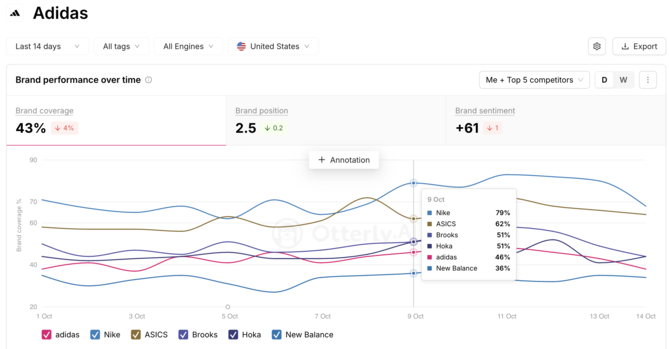
Want to learn more? Check out our slide deck that covers all these topics in detail and beyond. 🚀
The 7 lessons
- Why AI search matters — the shift from Google to AI answers, and the 3-step cycle OtterlyAI runs on. (4-min read + 9-min video)
- Get oriented: your tour of OtterlyAI — where everything lives, in one quick pass. (2-min read + 10-min video)
- Run your prompt research — the foundation everything else depends on. (5-min read + 7-min video)
- Read your brand report — turn prompts into a competitive picture. (5-min read + 8-min video)
- Find and close content gaps — where competitors get cited and you don't. (5-min read + 7-min video)
- Run a GEO audit on your site — make sure AI can crawl and read your pages. (4-min read + 6-min video)
- Resources and Tools for Success with OtterlyAI — invite people, organize by client or brand and connect via API to pull data programatically. (3-min read + 5-min video)
➡️ Start with Lesson 1: Why AI search matters. 📺