
Query Fan-Out shows you how AI search engines expand a single prompt into a wider set of related questions, intents, and follow-ups, so you can spot content gaps and discover new prompts worth tracking.
When someone types a prompt into an AI search engine, the engine rarely answers just that one query. It "fans out" into a range of connected sub-queries behind the scenes. A Query Fan-Out tool simulates or extracts how AI engines and modern search platforms, like ChatGPT or Google AI Overviews, expand a single user prompt into those multiple underlying sub-queries, so you can see exactly what they look like.
Supported engines:
- ChatGPT
- Google AI Mode
- Google AI Overviews
There are two ways to run a Query Fan-Out analysis: inside OtterlyAI as part of the GEO Audit, or with our free standalone tool.
Option 1 — Query Fan-Out inside OtterlyAI (part of the GEO Audit)
The in-app version lives inside the GEO Audit, alongside the Crawlability Checker and Content Checker.
→ Learn more about the GEO Audit →
How it works:
Enter a prompt and OtterlyAI generates the full set of queries an AI search engine may fan out from it. Each result includes the expanded query, its type, the user intent behind it, and the reasoning for why it was generated.
For example, a prompt like "running shoes" will generate expanded queries covering types, brands, features, buying considerations, and personal preferences.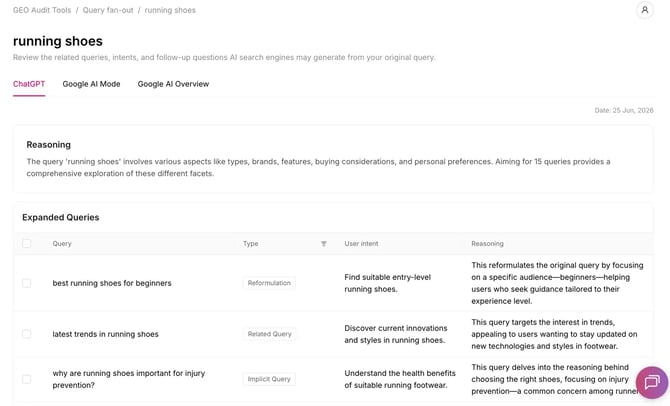
Adding queries to your report:
Once you've reviewed the expanded queries, tick the box next to the ones most relevant to your brand and add them directly to your report as tracked prompts, so they're monitored going forward.-Aug-18-2026-03-21-32-0175-PM.png?width=670&height=422&name=Screenshot%20(3)-Aug-18-2026-03-21-32-0175-PM.png)
Option 2 — The free Query Fan-Out tool
If you want to run a fan-out analysis without logging in, use our free standalone tool in the Free GEO tools section, under Resources:
→ Open the free Query Fan-Out tool →
By simulating the fan-out process, you can see which variations AI engines might generate, how they connect to your original query, and why results look the way they do.
How it works:
- Type your query or search prompt into the tool.
- Click Start Fan-Out Analysis.
- You'll receive your results by email.
- From the email, you can export the results, and then import them into OtterlyAI to start tracking the prompts that matter.
This is the easiest way to get exportable fan-out data, and it's a natural on-ramp into the full OtterlyAI workspace.
Query types explained
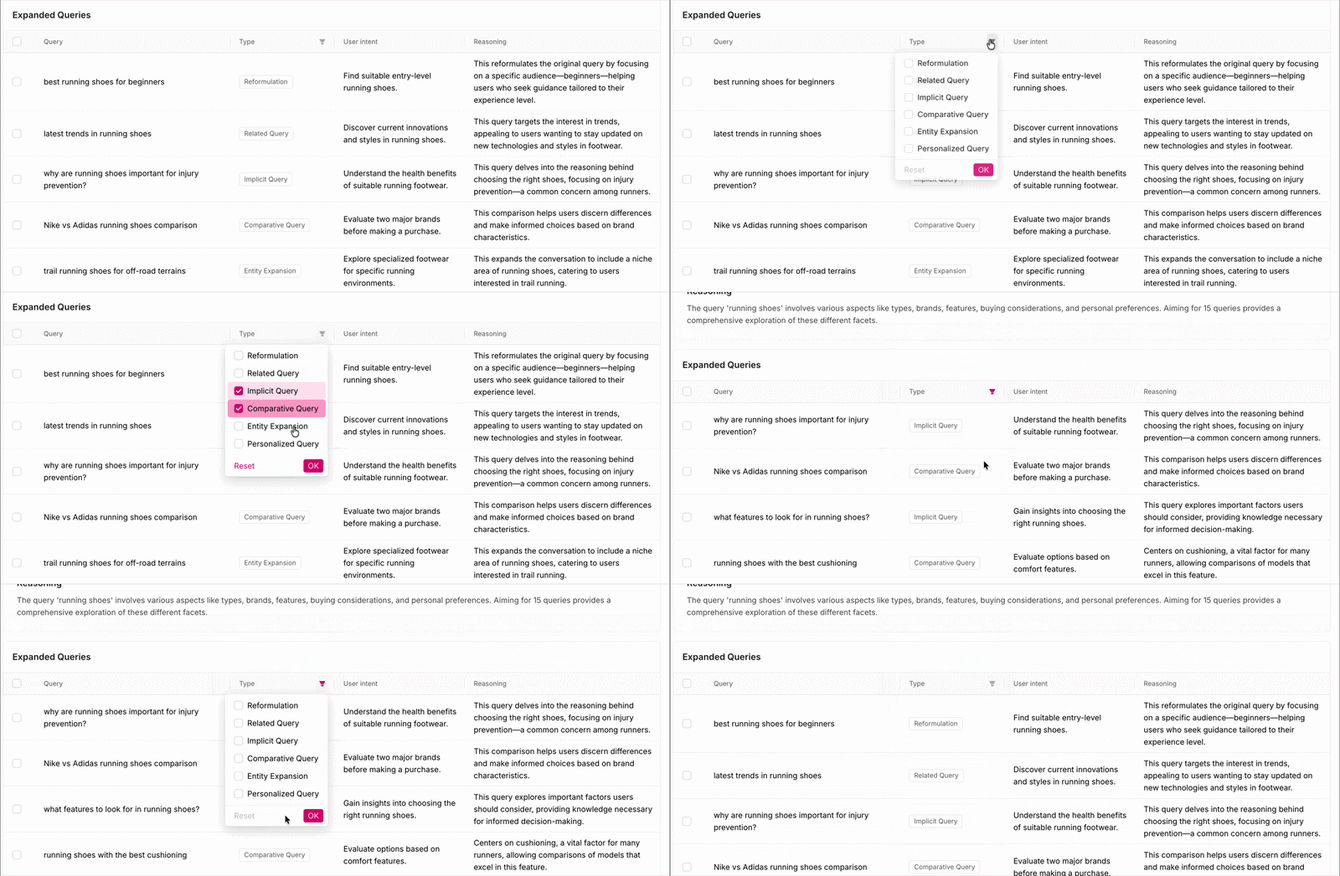
You can filter fan-out results by query type to focus on what's most relevant to your strategy:
- Reformulation — rephrased versions of the original query
- Related Query — adjacent topics the AI engine associates with the prompt
- Implicit Query — questions the user likely has but didn't explicitly ask
- Comparative Query — queries comparing options, brands, or products
- Entity Expansion — queries that expand on specific entities mentioned in the prompt
- Personalized Query — queries that factor in assumed user context or preferences
Frequently Asked Questions:
Can I export Query Fan-Out results from inside OtterlyAI? No. Results in the GEO Audit can't be exported. Instead, tick the queries you want and add them to your report as tracked prompts. If you need an exportable file, use the free Query Fan-Out tool and export the emailed results.
Do I need an account to use the free tool? No. The free tool works without logging in, just enter a prompt and you'll get your results by email.
How do I get free-tool results into OtterlyAI? Export the results from the email the free tool sends you, then import them into OtterlyAI to track those prompts.
Which AI engines are supported? ChatGPT, Google AI Mode, and Google AI Overviews.
Can I delete a Query Fan-Out I created in the dashboard? Currently no, you cannot delete it.