
The GEO Audit helps ensure your site is accessible, readable, and optimized for AI understanding.
The tool is divided into three sections: Crawlability Checker, Content Checker, and Query Fan-Out. Together, they give you a complete picture of technical access, content readiness, and how AI engines expand your queries.
Crawlability Checker
The Crawlability Checker focuses on whether AI engines can access and crawl a specific URL on your site. Even high-quality content cannot be surfaced or used by AI systems if it is blocked or restricted at a technical level.
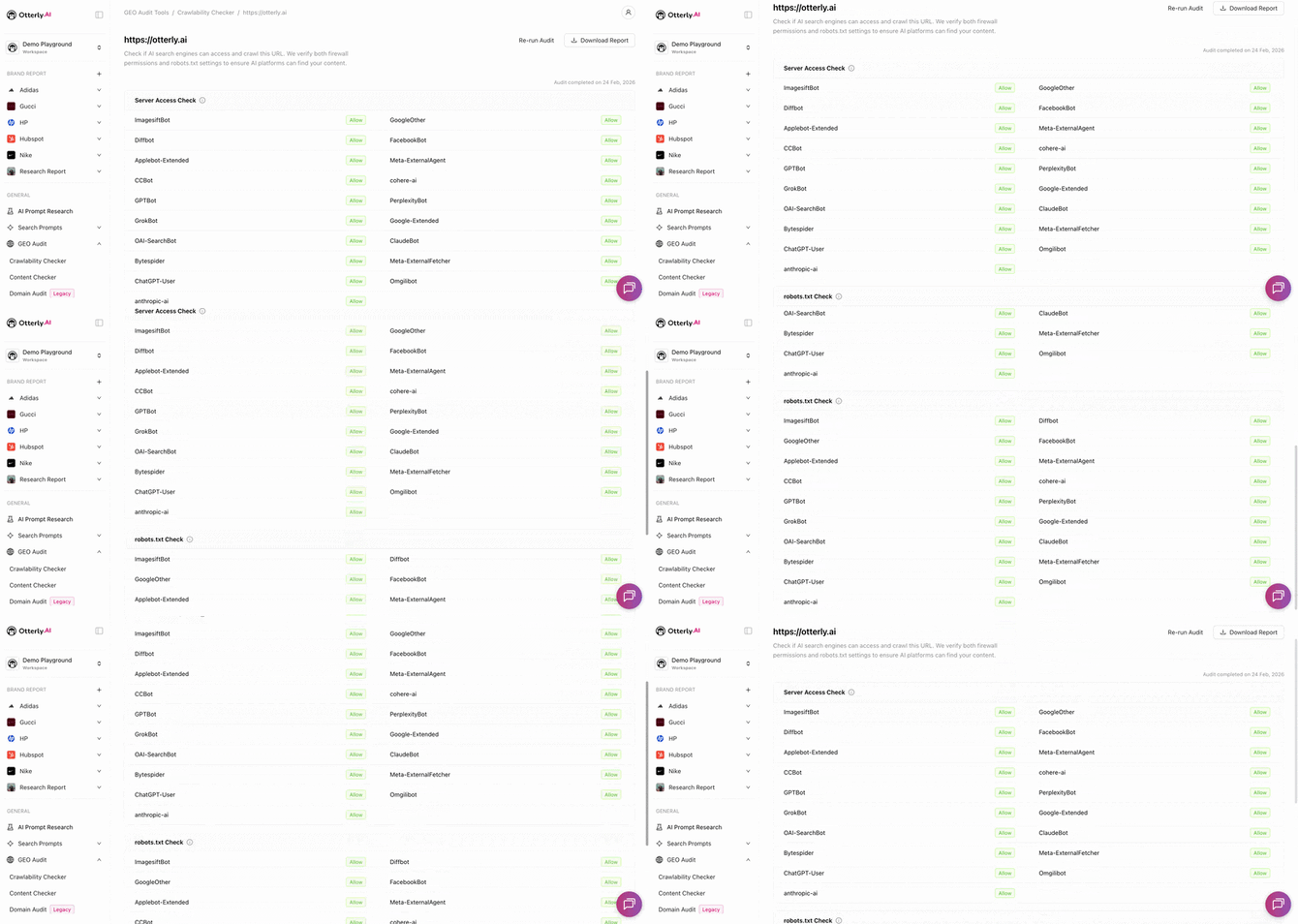
Server access check
Shows which bots are allowed or disallowed at the server level — giving you a clear view of how different crawlers are treated and whether AI bots are being blocked before they can even reach your content.
Robots.txt access breakdown
A clear breakdown of which bots are allowed or disallowed according to your robots.txt configuration, making it easier to spot misconfigurations and adjust them if needed.
→ Learn more about AI crawlers →
Content Checker
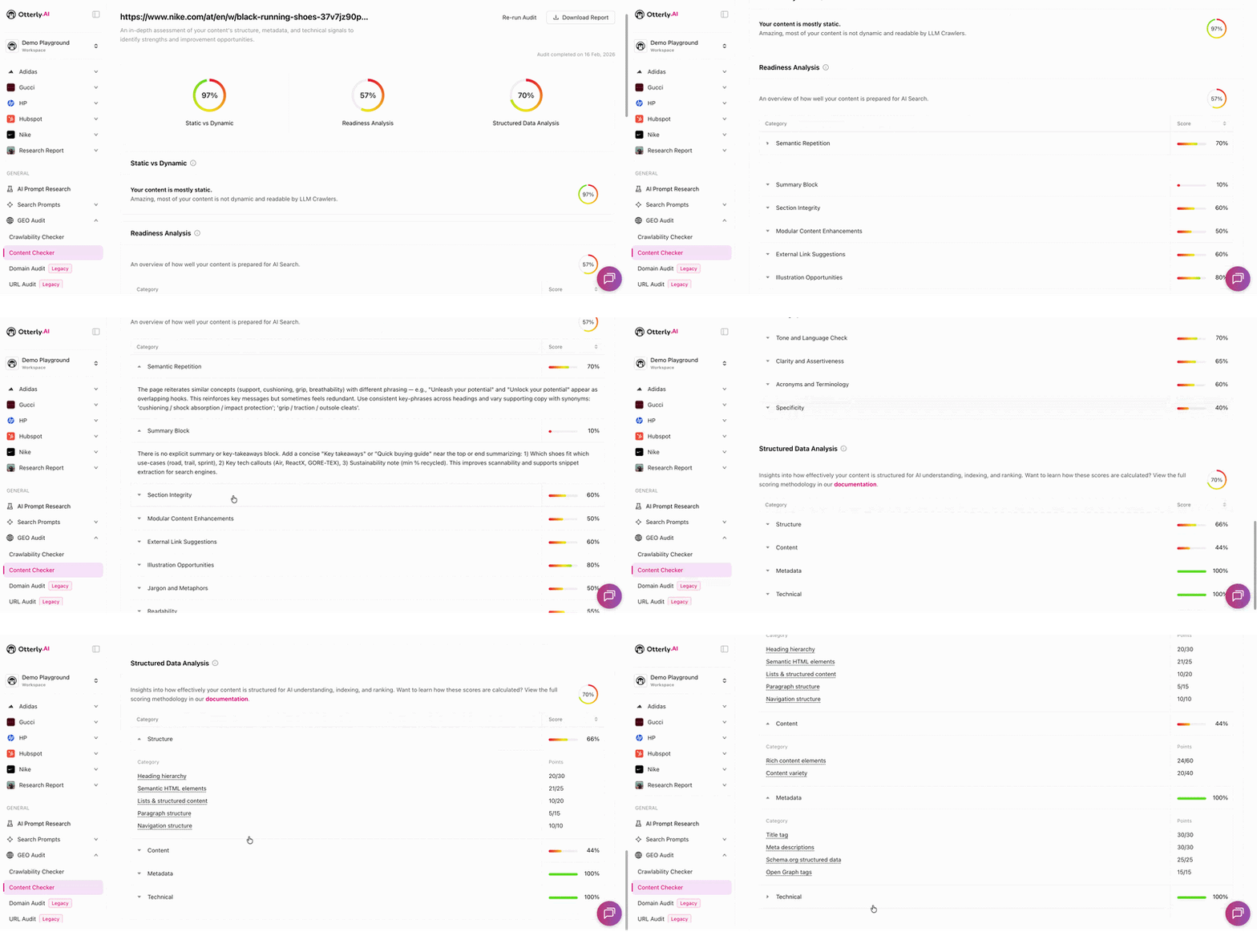
The Content Checker evaluates how well your content is prepared for AI engines.
→ If you receive an error, see the troubleshooting article →
Content analysis (static vs. dynamic)
We analyze whether your content is static or dynamically generated and assess how that impacts AI accessibility and interpretation.
Readiness analysis
Evaluates your overall performance and readiness for AI engines, with clear recommendation steps outlining what you can improve to increase visibility and effectiveness.
→ Read more about readiness analysis →
Structured data evaluation
We test how well your site is structured for AI understanding by checking for the presence and quality of structure, content, metadata, and technical aspects. By improving these elements, you help AI models better understand, categorize, and surface your content.
→ Read more about the structured data check →
Query Fan-Out
When a user enters a prompt into an AI search engine, the engine doesn't just answer that one query, it expands it into a range of related questions, intents, and follow-ups. The Query Fan-Out tool lets you see exactly what those expanded queries look like, so you can identify gaps in your content and discover new prompts worth tracking.
→ Read more about query fan-out →
You can download the full audit of Crawlability Checker and Content Checker as a PDF — click Download Report in the upper right corner.
You can also check out our video on the topic of the GEO Audit and get a walkthrough of the tool.
Frequently Asked Questions:
What is an optimal or score I should aim for? Anything above 51% is considered good, however aiming for 60% - 80% is considered optimal.
Does the tool check the whole site or just one page? The check is per page, even if you input your domain URL, the check is only for that one single URL page.
Can I delete an audit? No, currently it is not possible to delete GEO audit.
Can I check multiple pages in bulk? It is not possible to bulk upload multiple pages to be audited in the interface. However, alternatively you can request to check multiple pages via our API.