
Adding brand name variations ensures OtterlyAI catches every mention of your brand across AI-generated answers even when AI engines use slightly different names.
Why variations matter
AI engines don't always refer to brands consistently. If you only track the primary brand name, you'll miss mentions that use alternative forms. Example: Coca-Cola, Coca Cola, Coke, Cola, etc.
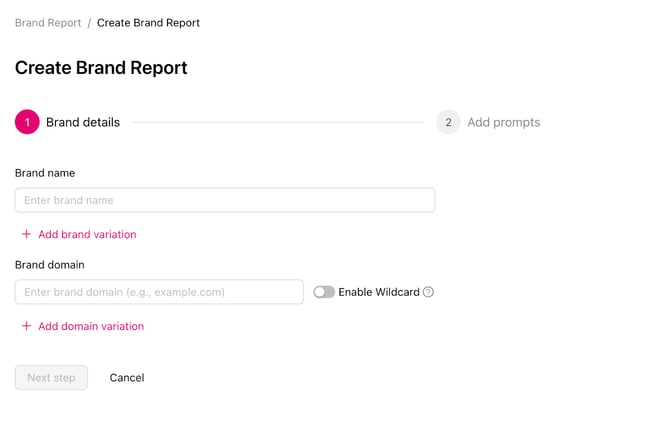
How to add or edit brand names and variations
- Click the gear icon located in the upper right corner of the brand report
- Navigate to the Brand details tab in report settings
- Your primary brand name is shown at the top, edit it if needed
- Below the primary name, add each additional variation in the Add Brand Variation field
- Click Save changes when done
Advanced settings: brands with generic names
Some brand names are also everyday words, which can lead to false matches. For example, the sportswear brand On is spelled the same as the common preposition "on."
For these cases, you can enable advanced matching to apply a regex rule that only counts the word when it appears as the brand, not as ordinary text.
How to turn it on:
- Click the gear icon in the upper right corner of the brand report
- Navigate to the Brand details tab in report settings
- Next to the brand name and variation, expand Advanced settings
- Toggle on the regex matching rule
- Add RegEx pattern - example \bOn\b
- Click Save changes when done
-Aug-07-2026-12-52-16-4151-PM.png?width=670&height=481&name=Screenshot%20(2)-Aug-07-2026-12-52-16-4151-PM.png)
How to remove a variation
In the same Brand tab, click the trash icon next to any variation you want to remove, then click Save changes.