
Yes. And tracking competitors is one of the most valuable things you can do in OtterlyAI. Without competitor data, your visibility KPIs are absolute numbers. With competitors added, they become a competitive benchmark.
How to add competitors
Option A — Via report settings
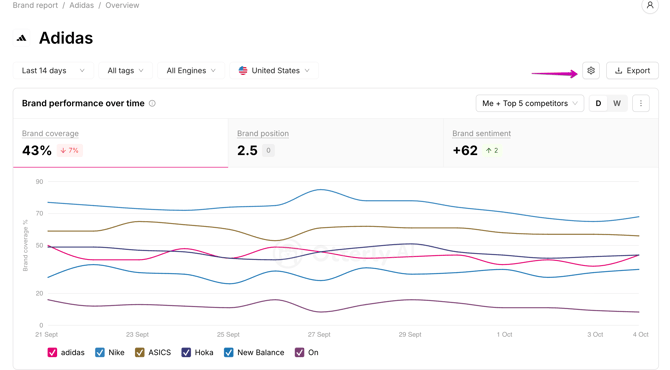
- Click the gear icon in the upper right corner of your brand report
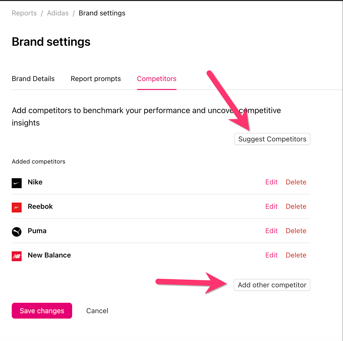
- Navigate to the Competitors tab
- Click Add competitor or use the AI suggest feature to get automatic recommendations
- For each competitor, enter their brand name, variations and domain
- Click Edit to add brand name variations or additional domain variations if needed
- Click Save changes
Option B — Via the Brand Ranking section
While viewing your brand report, scroll to the Brand Ranking section and click More Detected Brands. This shows all brands that have already appeared in AI answers for your tracked prompts — even ones you haven't added as competitors yet. Click any brand to add it as a tracked competitor immediately.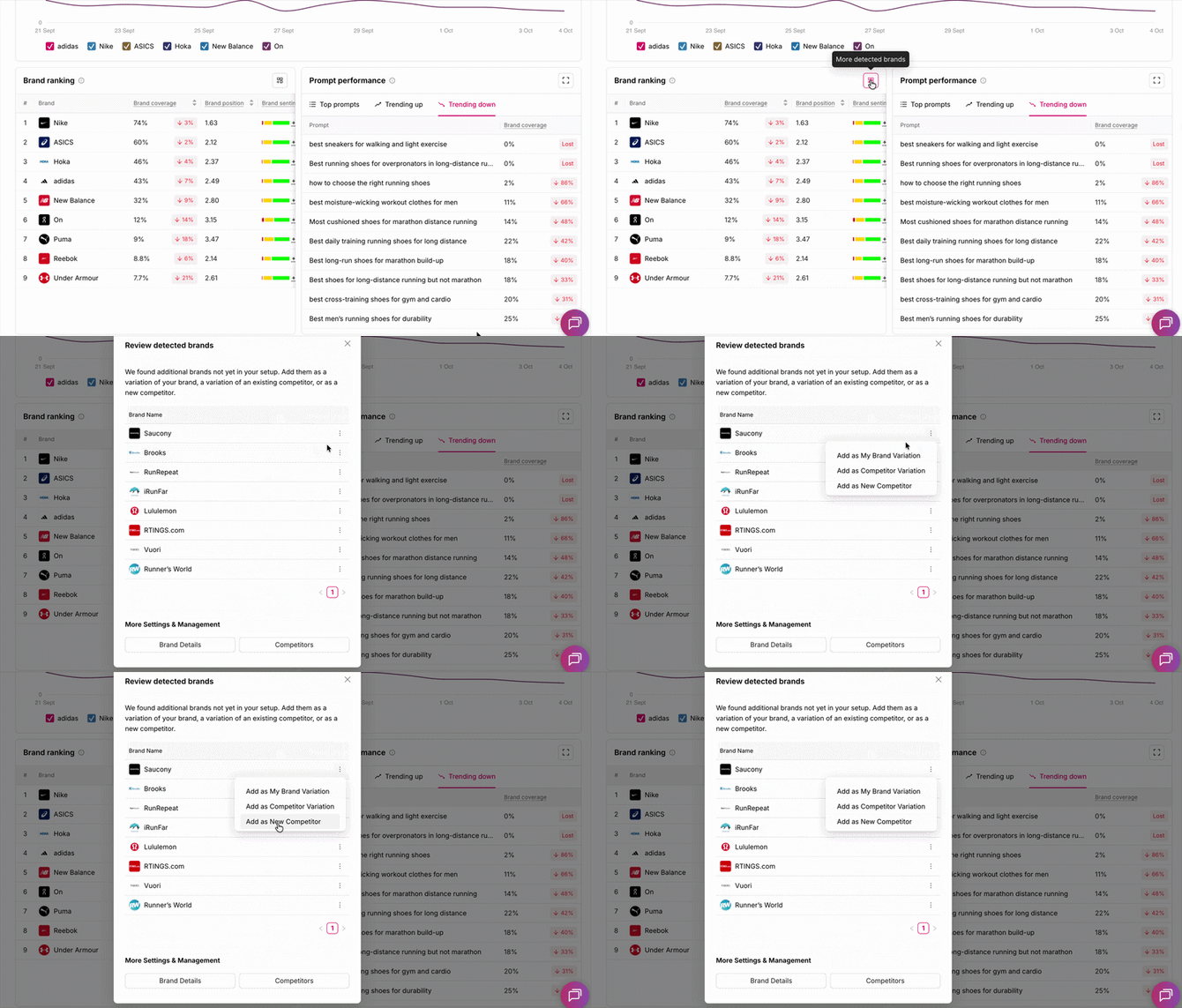
When you have added them, the competitors will appear after some rendering time in the main brand reports. You can add as many competitors as you wish, the number is not limited.
Removing a competitor
Go to the gear icon → Competitors tab → click Delete next to the competitor you want to remove.