
Prompts are the foundation of everything in OtterlyAI. The more accurately your prompt list reflects what your customers are genuinely asking AI search engines, the more useful your brand visibility data will be. This article covers every method available for building a strong prompt list.
Why you can't just look up what people search on AI engines
Unlike Google Search Console, which shows you real queries driving traffic to your site, AI search engines like ChatGPT and Perplexity do not publish query data. There is no public keyword tool for AI search; at least not yet.
The good news: the methods below are reliable, fast, and — when combined — give you a comprehensive starting point.
Method 1: Use the AI Prompt Research tool
The fastest way to generate prompt ideas is OtterlyAI's built-in AI Prompt Research tool. It accepts three types of inputs and returns a list of prompt ideas with intent volume estimates:
- SEO keyword
You can use your most popular SEO keywords and let OtterlyAI convert them into search prompts in different languages.
- Extract topics based on a URL
You can add a URL and OtterlyAI extracts topics from this website and creates search prompt ideas for you
- Or you can add the brand, domain and industry
And OtterlyAI will create ideas on search prompts based on your brand and industry including some competitors.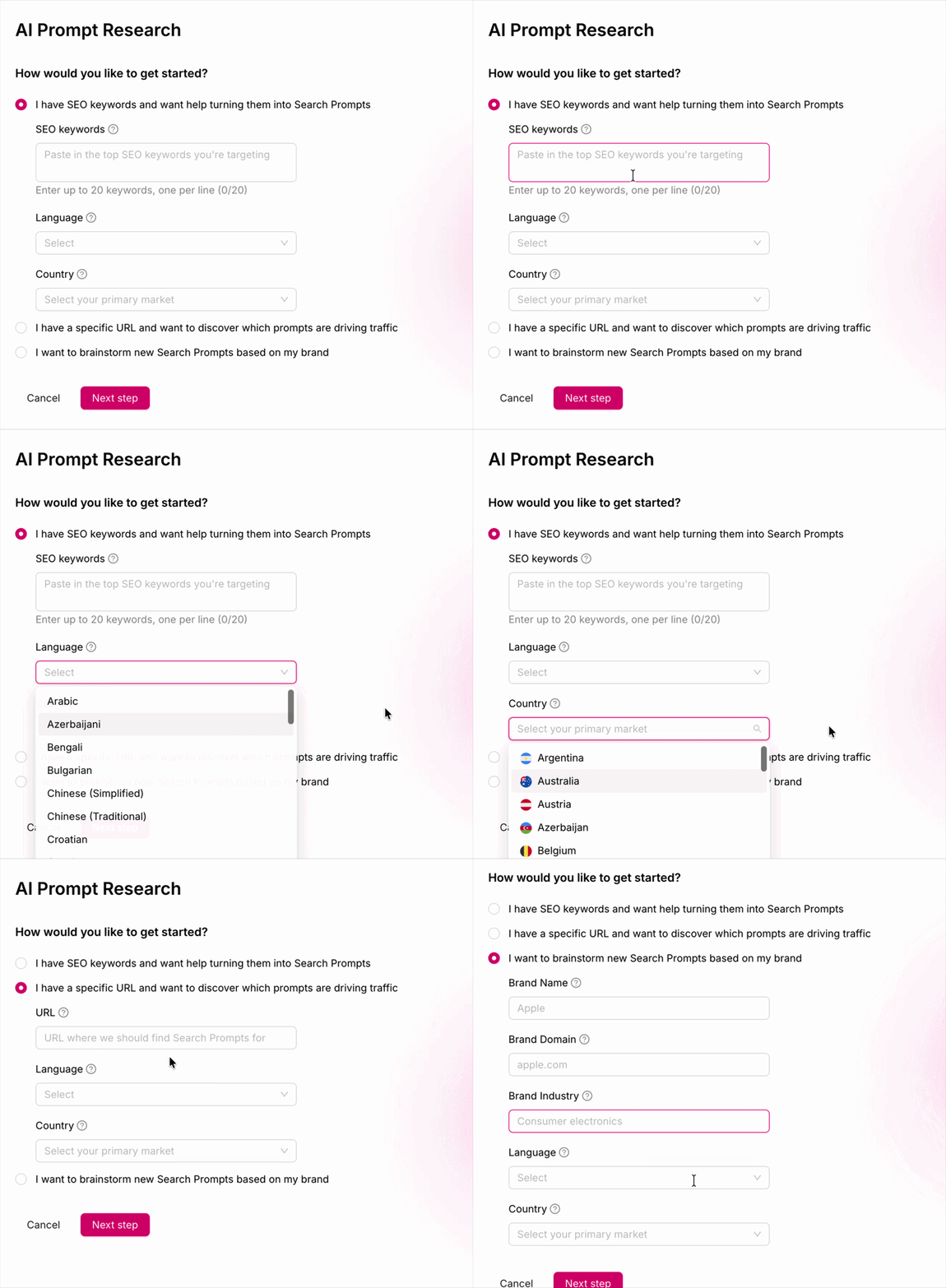
Method 2: Convert your Google Search Console queries
Use your Google Search Console to extract great prompt ideas from your existing traffic. You can find more information regarding extracting prompts in this blog post.
Read this new research OtterlyAI has done.
Method 3: Use ChatGPT or another AI to brainstorm prompts
AI tools themselves are a great resource for generating prompt ideas. You can also test our custom GPT prompt finder.
FAQs:
Can I see what prompts real users are asking on ChatGPT or Perplexity? No, AI search engines do not publish query data. The methods above are the best available substitutes.
Can I edit a prompt after adding it? The prompt text itself cannot be edited. To change the wording, delete the existing prompt and add a new one. Note that historical tracking data won't carry over to the new prompt. However, you can edit a prompt's assigned tag and brand report.
Can I see brand mentions for prompts I'm not tracking? No, OtterlyAI only shows brand mention and citation data for prompts you are actively monitoring.
How does OtterlyAI score the prompts it suggests? Each suggested prompt has an Intent Volume estimate. Learn what these mean →
Can I see historical data? The data starts collecting from the day you add a prompt and start tracking it. You cannot see historical data for the prompt before you've added it. Learn more about it here→