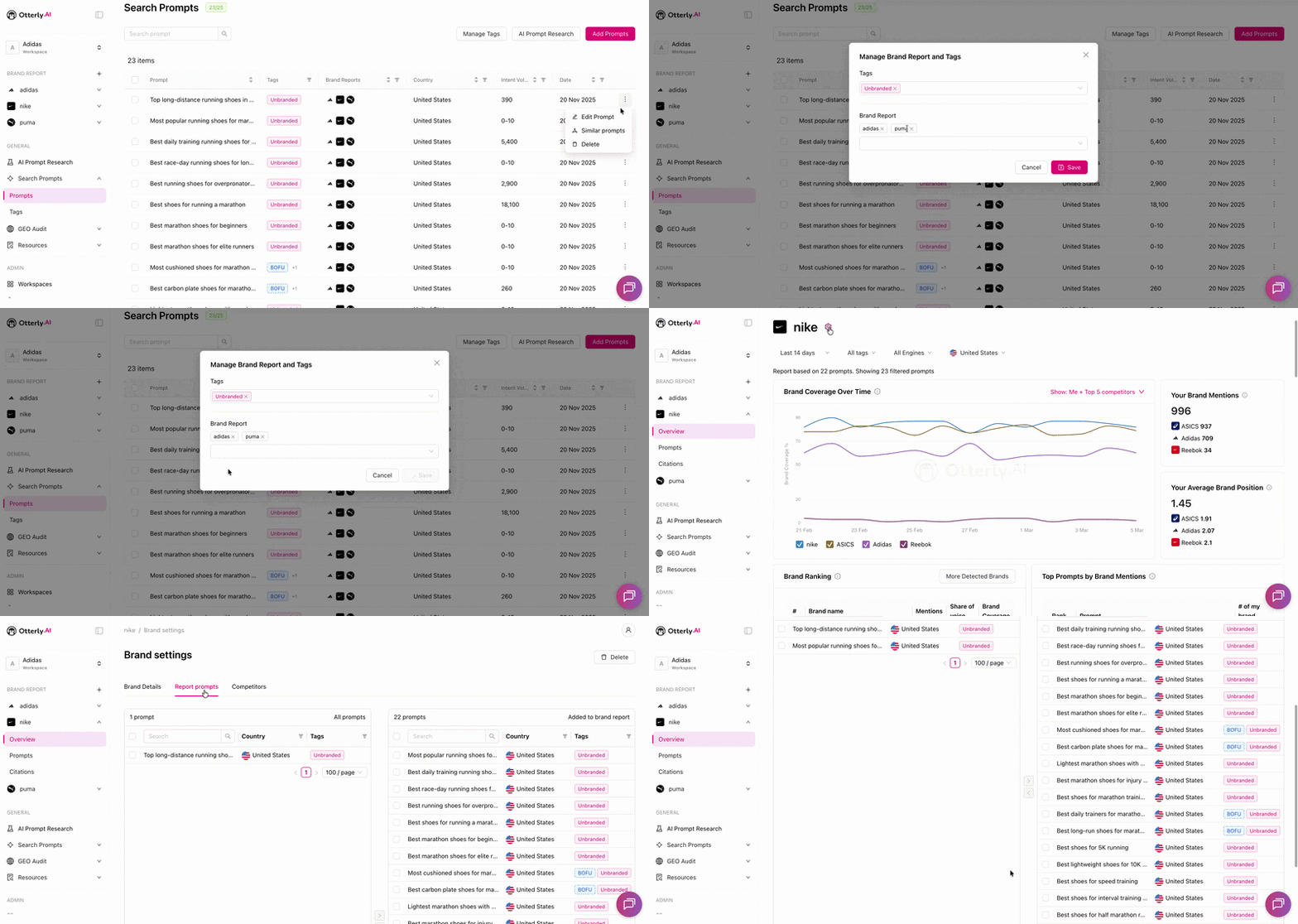
You can delete a search prompt at any time from the Search Prompts section. There are two ways to do it.
⚠️ Deleting a prompt is permanent. All historical data for that prompt will be erased and cannot be restored.
Method 1 — Delete from the prompt list by selecting
- Go to Search Prompts in the left navigation
- Click on the prompt you want to delete
- Click the Delete button
.png?width=624&height=199&name=Screenshot%20(18).png)
Method 2 — Delete from the prompt list via three dots
- Go to Search Prompts
- Click the three dots (⋯) next to the prompt you want to remove
- Select Delete
.png?width=670&height=321&name=Screenshot%20(8).png)
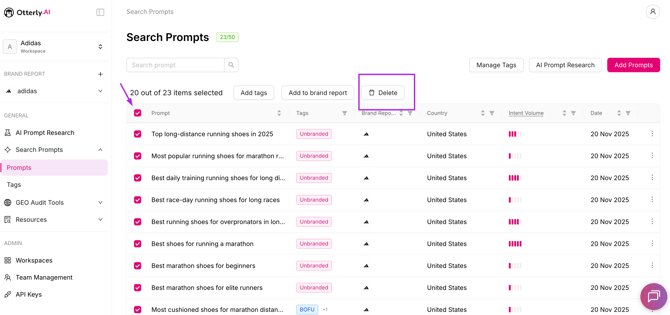
Method 3 — Delete prompts in bulk
- Go to Search Prompts.
- Select multiple prompts using the checkboxes.
- Choose Delete from the bulk actions menu.
- Confirm.
How often can I delete prompts?
As often as you'd like. However, please note there is a soft limit for deleting search prompts per day which means that you can delete around 50% of your prompts until this limit is reached.
Want to remove a prompt from a report without deleting it?
If you only want to unlink a prompt from a specific brand report — without losing the prompt or its data — you have two options:
- Go to Search Prompts, click the three dots (⋯) next to the prompt, select Edit Prompt, and remove the report connection from there.
- Or go to the Brand Settings of the report and remove the prompt directly.