
You can add packages of 100 search prompts to your Standard and Premium subscription plan.
Steps to buy more prompts:
1. Log in to your OtterlyAI account
2. Go to Billing
3. Scroll down to the Add-ons section
4. You will find the button “Add to Plan” -Feb-10-2026-05-31-54-4565-PM.png?width=670&height=111&name=Screenshot%20(2)-Feb-10-2026-05-31-54-4565-PM.png)
Already have a prompt add-on and want to increase it?
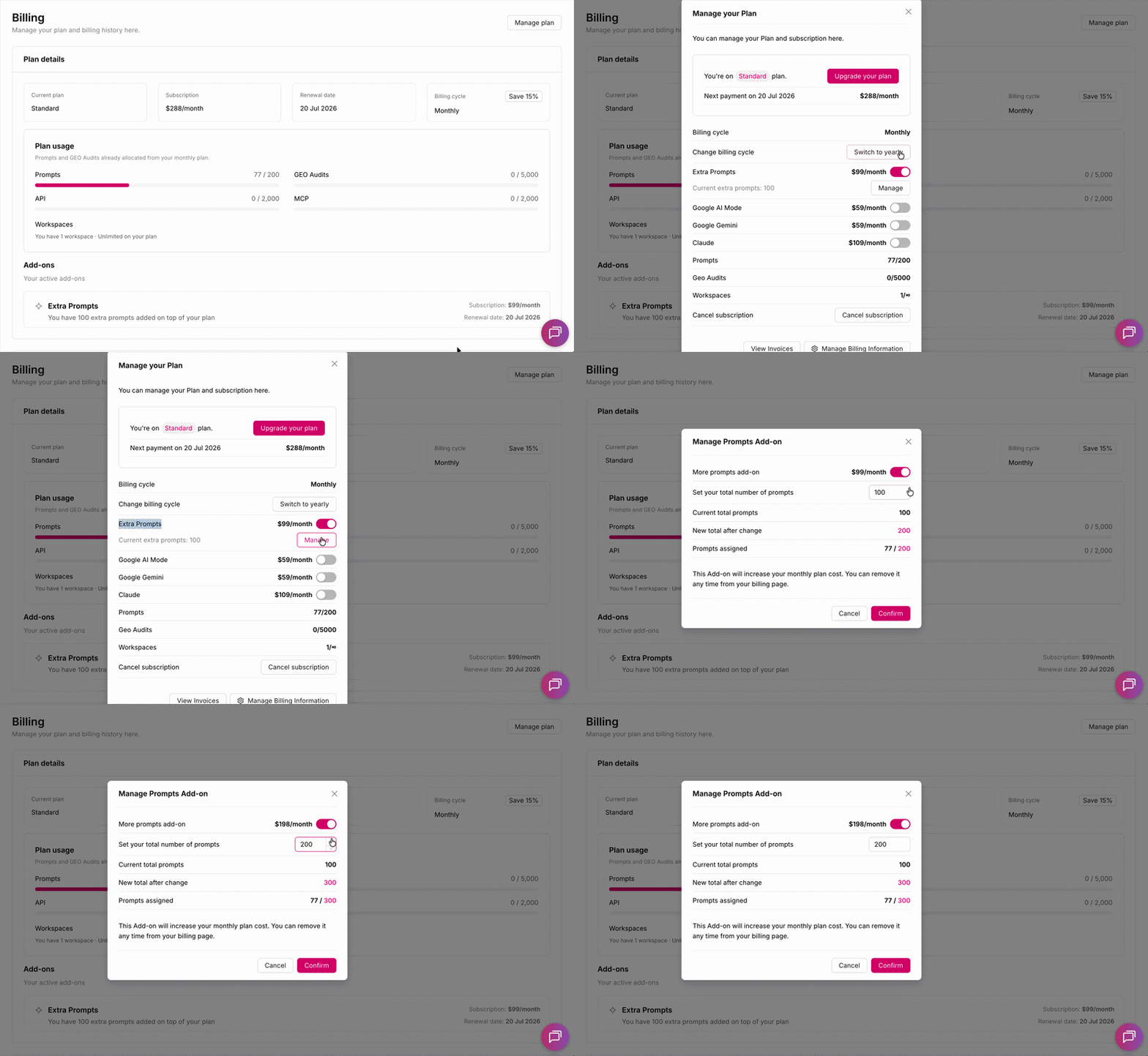
If you've already purchased additional prompts and need more, you can increase the quantity directly from your billing settings.
- Go to Billing
- Click Manage Plan in the upper right corner
- In the window that opens, find the Extra Prompts and click the Manage button next to it
- Enter the new total number of prompts in the field, or use the ↑ arrow to increase the quantity
- Click Confirm
For pricing information, please check our Pricing page.
Decreasing or removing your extra prompts limit
You can reduce your prompt add-on quantity or remove it entirely at any time.
To decrease the quantity:
- Go to Billing
- Click Manage Plan in the upper right corner
- In the window that opens, find Extra Prompts and click the Manage button next to it
- Enter the new total number in the field, or use the ↓ arrow to decrease the quantity
- Click Confirm
To remove the add-on completely:
Follow the same steps above and use the toggle to turn off the Extra Prompts add-on entirely.