AI search now has a paid layer. ChatGPT has started showing ads and product recommendations inside its answers — and OtterlyAI tracks both.
Ads & Shopping tracking is built into your existing brand reports, on every plan. If you're already tracking prompts, the data is already there. Refer here to the countries where ads are available.
ChatGPT Ads tracking
For every prompt you track, you can see the paid activity happening around it:
- How often ads show up — ad frequency across your full set of prompts, so you can gauge how much paid pressure your prompts are under.
- Which prompts trigger ads — the high-intent queries where advertisers are buying their way in.
- Who's advertising — the brands, including competitors, running ads against your prompts.
- What the ad says — the actual claims, the links.
This isn't a sample or an estimate — it's the real paid landscape, mapped to the prompts that matter to your brand.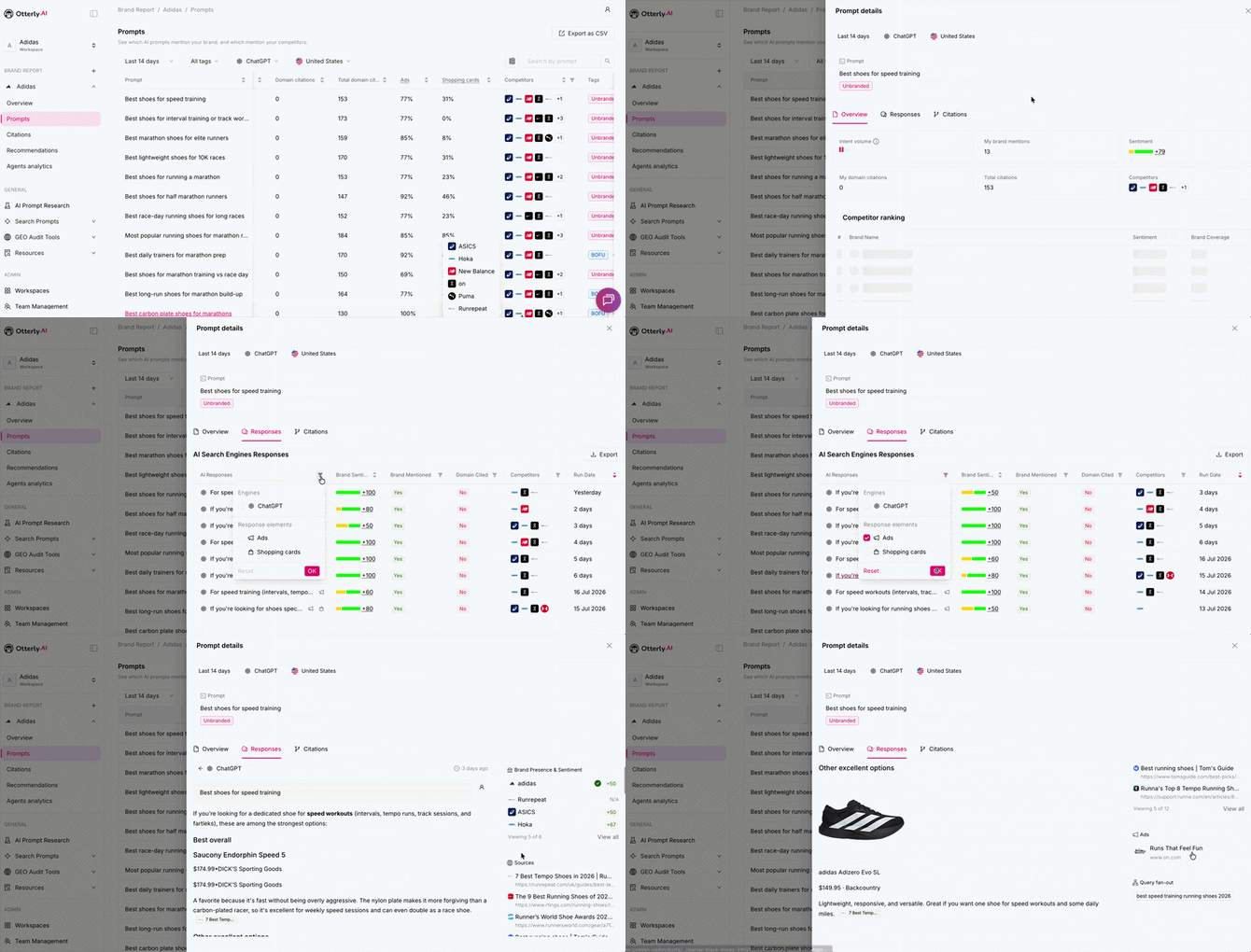
ChatGPT Shopping tracking
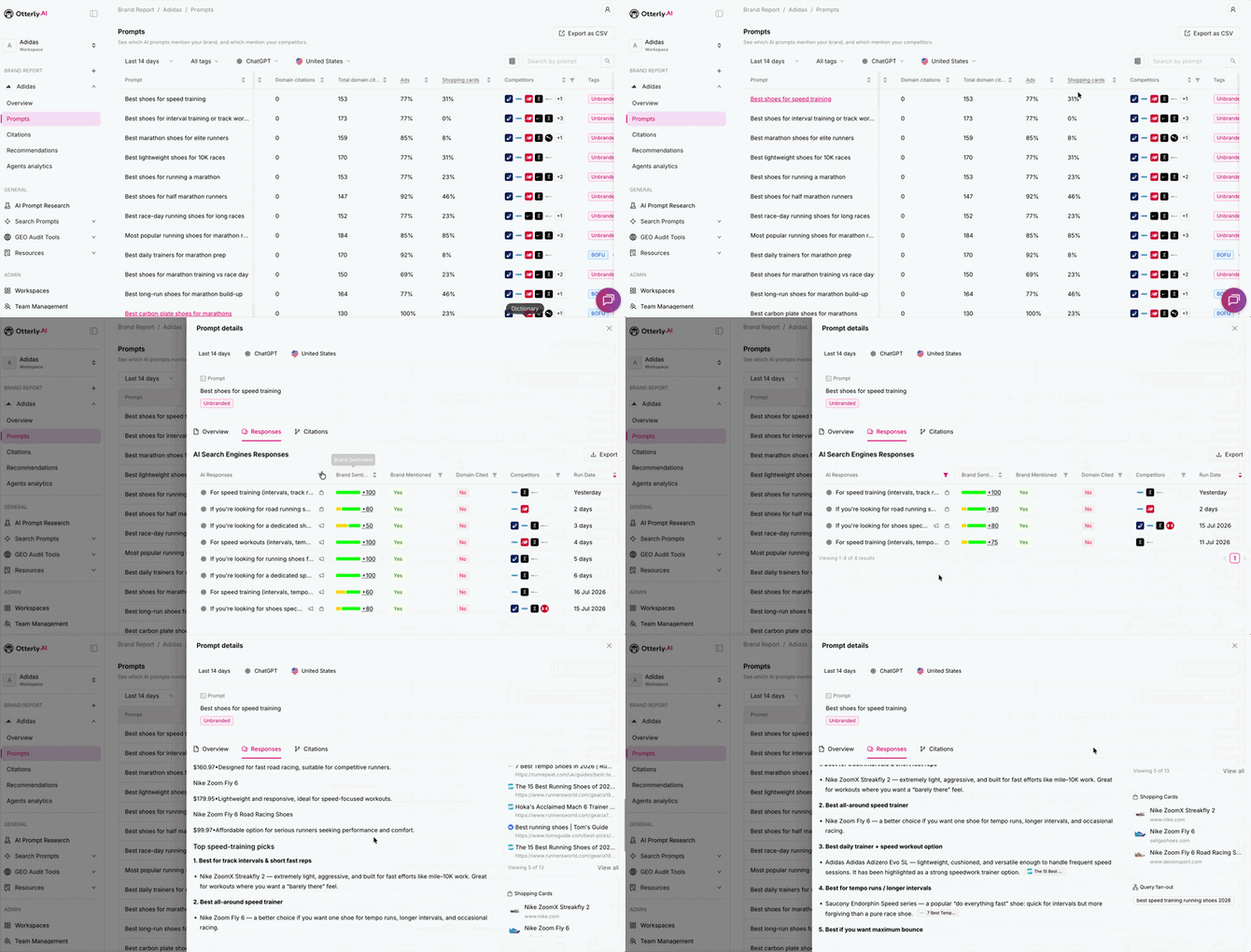
When ChatGPT recommends products, it can display them as visual shopping cards. OtterlyAI shows you exactly which products make the cut:
- Whether your products are surfaced for your prompts
- Where competitors win placement instead of you
- How the shopping experience looks to a real buyer
Where to find it
Open any Brand Report and go to your tracked prompts in the Prompts tab; prompts where ChatGPT showed an ad or shopping cards are flagged, and opening a prompt reveals the details.
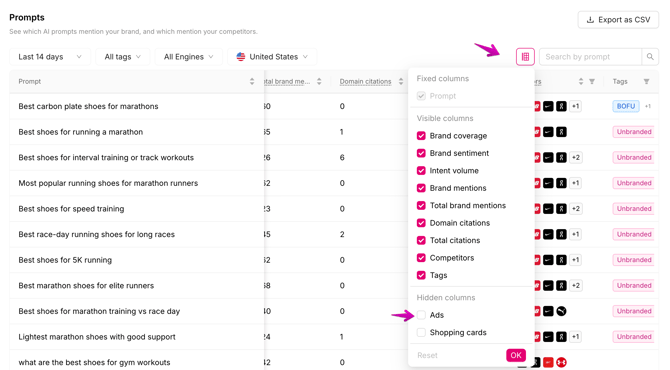
You can also manage the column settings in the Prompts tab and include Ads and Shopping card to your view: