
There are a few different ways to add search prompts to OtterlyAI:
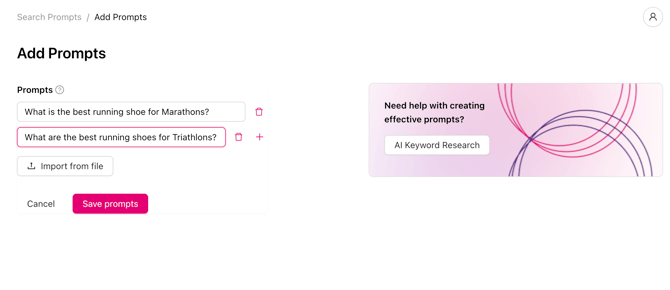
Method 1 — Add prompts manually
- Go to Search Prompts in the left navigation
- Click the Add Prompts button
- Type or paste your prompt text into the input field
- Select the country for this prompt
- Optionally assign a tag and connect it to a brand report
- Click Save Prompts
.png?width=670&height=458&name=Screenshot%20(6).png)
Method 2 — Import prompts in bulk via CSV
- Go to Search Prompts and click Add Prompts
- Select Import from file
- Drag and drop or upload your file (a CSV or text file containing your prompts. Each prompt should be on a separate line)
- Review your prompts and click Save Prompts
- Select a country, optionally select tags and connect to a brand report
📁 Example CSV file, txt file.
Currently, you cannot upload prompts with tags.
Method 3 — Use the AI Prompt Research tool
- Go to AI Prompt Research (or navigate directly to app.otterly.ai/prompts/research)
- Enter your SEO keyword, URL, or brand/domain/industry
- Choose country and a language
- Review the generated prompt suggestions and choose which ones to track
💡 Tip: Need a more holistic prompt set? Try the free Advanced Prompt Research tool
If you have specific ICPs, personas, or topics in mind, use the free Advanced AI Prompt Research tool. This is especially useful when you want prompts tailored to specific customer profiles: add your topics and personas, and you'll get back a prompt set built around them. Your results are delivered by email, so you can download the list and import it straight into the platform using Method 2 (Import from file).